Category Archives: Geek

Alex, Uh, He Bows To Zack Wild


So my eBow Plus finally arrived. Yup, this baby creates feedback on guitar strings, allowing me to make violin-like, attackless sounds with the guitar. Harmonica, flute, string sections, theremins and the like can be coaxed from a guitar. It came with a badge which implied “no picks allowed” but I don’t use picks anyway. 😛


I was thinking of getting new strings while at it, considering how likely I’d get rabies from the old ones. I got myself Elixir .011 Polyweb strings. Shiny, smooth buggers with a coating that would protect it from rust and grime, allowing it to last 3-4 times longer than normal strings. Sadly, it was the only one left, or else I’d have gotten the electric ones, at most .010 or .009 gauge. This one however was for acoustic, and had a wound third string. 🙁 Blues bending would need lots of strength and practice on the third string. Also, because the strings were slippery, I was more likely to lose my grip while bending, for the strings to painfully snap back.


I also could not locate pliers (I don’t have a string cutter) so what do you do with leftover wire? The Polyweb strings could not snap just by bending it back and forth!


And so, I made my Yamaha look like a BC Rich. Cellotape them up and your guitar’s looking sharp.

Sadly, the Polyweb strings make it a lot harder to activate the feedback on the eBow. Recordings shall come soon enough; I’ve been playing The Beatles – Yesterday for a while now, and now I can lay down the backing string sections with the eBow!

There you go people, a guitar-related post. How could you guys not know that I play guitar? I even have a metal guitar slide, a ukelele and a wah pedal!

On a side note, check out Zack Kim‘s blog! This crazy shredder shreds with Cosmic Funk Express and now shows off how he can play two guitars with two different guitar lines on video! Where? On Zack Kim‘s site, of course!

Digital Watcher

What do you first notice about the hand?

The self-inflicted cut?
(I don’t cut myself; I got this while sleeping on the bus in a weird angle, I suppose.)

The Open Minds wristband?
(I got this from the Spirit Of Independence gig, which really is for charity, for Down’s Syndrome, and not some money-making Nike fad.)

The digital watch?
Well, hopefully, you’d notice it in that order. I wear the wristband so I can say that I got it at Paul’s Place, for a real charity, and also to distract from the fact that I’m wearing a digital watch.

People say digital watches are uncool.

However, the same people can’t read analog watches.

I love digital watches. I love the alarm. I love the stopwatch. I love the auto-resetting countdown timer on this Casio, and the Casio before that (thanks to colleagues for getting the right watch with enough features as a present or I might not wear it…) And yes, I can read an analog watch well.

On a side note, my blue hair is a distraction to my long hair which is a distraction to… something else, which I will only explain to you in real life.

Lie And Dance

Here, again, is proof that Albert procrastinates the wrong things. He breaks program schedule to show you this cool trick, brought to you with the power of two polarizers in front of a digital camera. In order – a linear polarizer (must be linear), circular polarizer, digital camera. Yep, my circular-linear-wannabe-neutral-density filter.


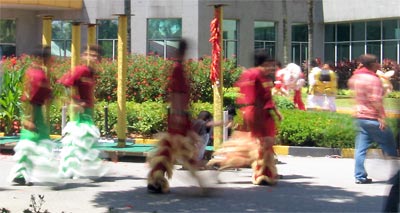
The setting? A traditionally scorching bright sunny day, with the absolute EVs scorching at around 15. Perfect, they say, for outdoor action photography, as every shot will be scorchingly lit with shutter speeds of about 1/250 seconds at most. The subject? A lion dance performance.

Of course, I wanted a different effect than to see the lions being immobilized in mid air. I wanted to convey motion, something you would not be able to do even at F8.0. Cue the crossed polarizers!

Settings? ISO 50, aperture priority (anywhere between F2.6 to F8.0) and EV -1. Pardon the composition of the pictures, I was focusing on getting motion in cool ways.

But first, a peek into the mind of a lion:

This is a regular shot, no movement, no filters:

I then attach the filters, and turn the linear polarizer (the outer ring) to reduce the light coming to the lens, letting the camera to choose a slower shutter speed:

Motion looks better in wide shots.

By chance, I got this; one still, the other two moving.

So that’s how it’s done!

Big drums and heavy beats. How could you not headbang to this?

Nod your head yo.

Another way to make use of shutter speed is to pan with the subject, like so: (Note the Queen T-shirt!)

A faster-moving panned subject.

Show’s over, boys.

Happy Chinese New Year to all of you! (Yes, this is still valid till the day oranges are thrown into rivers.)

Glaring Notebook Reborn

Surprise!

Welcome to my new blog.

Or rather, my blog, reborn.

After years of sitting on Brinkster (since December 2000, using it to test scripts for Xfresh), I finally got round to finish coding my blog. Yes, I am not powered by WordPress. This programmer ethic was inspired by DJCS, the walking-talking-DNS-server and uber geek, who also coded his own blog.

You’ll notice some new features, like categories (I’m not done putting blog entries in categories; I’ll announce when it’s done), a new skin, Cubed, that is now default, replacing the 17-month-reigning Trained. (Yep, no more staring at people sitting on the LRT.)

Yes, you can still change skins, if you miss looking at people sitting on the LRT.

Or, if you miss me, you can come sit with me on the LRT. If there are seats available, and no more deserving people to sit in them.

What was the idea/theme/motif behind Cubed?

I just wanted to shock people. Make people go, whoa. Make people realize that hey, this is not the same site anymore. It does not have a default black background. No, it does not have anything to do with the black metal incident; I’ve always wanted to make my next one a colorful one.

As for the left-side image, it’s inspired by my love for Rubik’s Cubes. Somehow, I accidentally made the lines grey instead of black, and that’s where the sketch-like cube came from. The font was picked because it could not be held seriously; same with the colors. The rainbow was a last-minute addition, and the dithered pattern effect was made by saving the image as a 16-color GIF file, not through Photoshop. I liked the effect, as it was reminiscent of good old Windows 3.1 and 640×480 at 16-color VGA displays (or 320×240 at 256-color VGA displays.) Meanwhile, the font was more 70’s retro, making a mishmash that would never have happened in 1993.

The preface text on the sidebar did not need a background; it miraculously could be read across the screen. 😀

Yeah, just so you all know I’m not always serious even though I was born with a serious face, yo.

You can still add a comment with your email address, and the email address would come out jumbled to spambots, but clickable to humans. You don’t need to type a subject anymore (well it’s been that way for a while anyway.) There’s also a calendar view at the bottom, where you can view blog entries by the month or year.

As for other horribly-named blog terms like permalink, trackback and pinging, well… experiment with the Replies link at the bottom of each entry.

Give me more life stories!

I started a website in 1998 under XOOM.COM, as it was known then, to host my Quake 2 plugin-player models. My first ever URL? http://members.xoom.com/albnok. It did not have ads then! It was then bought over by NBCi.COM. Around that time too, I registered for a free domain name under NameZero.com (it was either that or the only other competitor then).

So, about 5 years before this, I had http://www.albnok.com/.

That domain died, and I started blogging in December 2001. Other than me and DJCS, I haven’t a clue who else has such a long contiguous stretch of blog entries on one server, one system. TV Smith perhaps? Paul had dozens of subdirectories, subdomains and domains before arriving at his current one, but I am not able to access his archives, so yeah.

Okay, so I’ve been sitting on this for much longer than I expected. Much, much, much longer. Ever since the days anybody wondered where I suddenly got so much bandwidth to upload so many pictures (Brinkster only has 30 MB of space), I have been using my webspace secretly. 😀

I’ve also put the links out on the side, in this Cubed skin at least. Because I took the trouble to update them, you should too!

My blog address was not:
http://www16.brinkster.com/albnok
It was officially:
http://www.xfresh.com/albert (but if you link me as the former I would still be happy to be linked.)
It is now:
http://www.glaringnotebook.com

The first ten people to change my link to the new one will get a free paragraph each, with me explaining why I linked to you, what I like about your blog and why you people should go to your blog. What are you waiting for? Free linkage and pimpage!

Death Metal

Master of the slave
Was the name he gave
You’re magnetic and full of potential
But you’ve spun dizzily into your grave

Soon, all our memories became heavy metal.

A dozen a dime
A dozen years time
It doesn’t seem right
It doesn’t see the light

Soon, all our memories became heavy metal.

It wasn’t enough that I tried to get you back
You played dead and I needed a hack
So I searched around for the cure but you were still black
And now everything is blank, what a wreck!

Soon, all our memories became heavy metal.

Hmmm. I can’t write poems like I did back in college.


Look ma, no jumpers! (Yes, these pictures are so very much related.)


So old-school, the jumpers are on the underside of the hard disk!

Anyway, in summary, I plugged this 127MB Quantum ProDrive ELS into my left-side computer and couldn’t get it to detect. I plugged in the other three hard disks, (a Quantum Corona 4.3GB, Quantum Fireball 5.1GB, Maxtor DiamondMax Plus 40GB) with it detecting one of them only once. Moved jumpers about, and from then on, the display did not show, and the speaker did not beep. Moved RAM position. I dug up my Radeon DVI adapter to try the other display to no avail. I even dug up my 3dfx Voodoo3 PCI!

I haven’t been this frustrated, and yet I am feeling strangely fine.

Tooting Two Too

I am going to blog, in girly form, what I got over Sunday and on my birthday (which was not Sunday).

Coolermaster 430W power supply: To replace my old one, where my GeForce 6600GT was complaining of lack of juice.
Pleomax 1600dpi laser mouse: To replace my trusty A4Tech wireless optical mouse. Higher dots per inch means higher sensitivity. Five mouse buttons baby! Interestingly, the 4th and 5th were automatically Forward and Back in Internet Explorer. Configured correctly, I could play racing games with just the mouse! Sadly, it has the same problem as cheap optical mice – lifting it up until 2cm from the table/mousepad will cause the cursor to run wildly. This means you can’t lift your mouse to turn rapidly!
Maxtor 300GB PATA hard disk with 16MB cache: One of those rarities. No more struggling with compressing pictures and videos, and uninstalling games!
LG 16xDVD, 52x32x52 combo drive: Now my siblings can watch DVDs on the other computer (which we affectionately name “the left-side computer“.)

All plugged in, the formerly unstable computer, affectionately named “the right-side computer” gave noisy interference, and ran a memory test up till about 128MB (the number varied every time) and hung. Switching memory banks quickly rectified this.

I haven’t blogged about computers and guitars so long, people seem to have forgot that yes, I can play the guitar.

Check out Laynie‘s hilarious account of what happened when we met for lunch, with her not knowing I was older that day.

Presents, in no order, and anonymously done to protect the identities of those who gave weird presents, and to prevent all of you from mooching up to those who gave good presents:
A Tower Records CD case, Lords Of Dogtown movie soundtrack CD, Christmas tree star (huh?), 1/144 HG Grade Gundam, 25th Anniversary Rubik’s Cube, a blinking phone accessory, nice-smelling candles (when blackouts occur at least our home will smell the nicest!), a Casio digital watch with auto-reset countdown timer, five alarms, moon position, tides, compass, etcetera (much more sophisticated than my previous one, yay), company to Rock The World 6 and a ride home.

Did I forget something?

Did you forget something?

Plastic And Stretched

(Montage of three different pictures.)

Are you feeling plasticky and stretched?

This would be the only good use for an LCD screen – the light is polarized. Transparent stretched plastic then turns it about, causing funky rainbows… but you need a polarizer in front of your camera to capture this. (The LCD screen was white, with the polarizer turned so the white background became as dark as possible.)

Here’s something for the photographically adventurous – articles from the School of Photographic Arts and Sciences. Check out his flatbed scanner-turned digital camera, high speed photography, strip photography, infra… oh wait, that sounds normal already.

The scanner idea would be awesome if implemented correctly, because with an A4-size 1200 dots-per-inch scanner, you could get a 14031×9921 size scan, or a 139 megapixel camera.

Striking Pictures

So I met Fazri for more camera geeking out.


This is his decked out FZ30, this time, with more filters and step rings than before. I’m not sure anymore what the order was, but I think it was a (edited) 58mm telephoto lens, 58mm macro lens, 58mm Hoya linear polarizer, 58mm to 52mm step ring, 52mm Hoya circular polarizer, 52mm Hoya R72 infrared filter, (then here comes my stuff) 52mm Hoya R72 infrared filter, 52mm Raydamn linear polarizer, 52mm Hoya 25A red filter, 52mm Raydawn circular polarizer, (and back to Fazri’s) 52mm to 55mm step ring, Panasonic DMC FZ30. Phew.


Similiar setup, on mine.


He placed his FZ30 on a tripod and took long exposures, with the strobe flash used to uh, expose… me. I was chosen because I accidentally wore a bright, easy to expose shirt.


I have reached Duhvana.


Effects of eating a red mushroom.


Fazri and I saw lightning in KLCC Park. I used his Canon Powershot A95 to get this, on a 4 second exposure. He set up his FZ30 on 60 second exposure, but the chances of us striking gold lightning striking when taking a long exposure was very small. Most of the time, the lightning would strike during the noise reduction part (which is as long as the long exposure itself!)


The buildings somewhat look like batteries.

Addendum: From my experiments with circular and linear polarizer combinations, I found that the most useful combination would be camera, circular, circular, linear. Turning the innermost circular would function as a polarizer; turning the middle circular was a warming/cooling filter, and turning the outermost linear would go from neutral density to infrared filter. We did not get a bright sunny environment to test the effects of inserting the red filter anywhere in between. Two circulars would be a warming/cooling filter; two linears, a neutral density to infrared filter.

CPL + LPL = IR + ND


So I bought a 52mm Raydawn linear polarizer for yet more photography experiments. Who cares that I went to Zouk on Wednesday, Hartamas on Friday and Saturday, and Midvalley on Sunday? Who cares that I wassup guys that girls had major crushes on since Form 2 (no, not you, stim-girl)?

Well, apparently, nobody, so I’ll just put more trippy pictures. At least you guys tell me you think it’s cool, even though you don’t comment.


Anyway, in the arrangement of camera, linear polarizer, circular polarizer, I was able to get a manual white balance of varying precision! The right-most picture is without both polarizers on. The other two are the extremities of blue-ness and orange-ness I can get by turning the circular polarizer only. Turning both (meaning you turn the linear polarizer) will function as a normal polarizer.


We now bring you to Site A, on the pedestrian bridge of the Kelana Jaya PUTRA LRT station. I took the following pictures between 11:10am and 11:30am. No, I do not go out just to take pictures; I was waiting for the bus. The recorded shutter speed was 1/250 seconds, F8.


Now we get funky! In the order of camera, circular polarizer, linear polarizer you get something like an infrared filter. Turning the circular polarizer functions as a normal polarizer. I had to use Manual mode, F8, 10 seconds to get about the same histogram.


Now, insert a red filter, so the order is camera, circular polarizer, red filter, then linear polarizer. Fiddling around, the infrared-glowing objects are distinguished by varying levels of redness. This was 1/3 second, F2.6 (equivalent to F8.0 at 2.66 seconds).


Note that at certain angles, there is a stain of color on certain edges of the circle. I do not know the science behind this, but snap in black and white and you won’t see it.


I don’t remember which angles they were, so just play around with both dials to get effects.


The only picture with any levels adjustment was the first one. The others are only sharpen and resize. Load the pictures into Photoshop and hit Auto Levels to see what they could become!


In case you forgot what a normal infrared picture looks like, here’s one with just the Hoya R72 filter.


Left: 1/2 seconds F2.6 with camera then CPL then PL, 1/2000 seconds F4.0 (or 1/4000 seconds F2.6) without filters on Shutter priority mode. That makes a 2000x ND, 11 stops.

The geekier among thou would have noticed that going from 1/250 to 10 seconds (in the fourth picture) is a slowing down of 2500x. That would be equivalent to a neutral density filter of 2500x, or over 11 stops! Add that you have the flexibility of dialling in the density! Of course, neutral density filters do not stain the picture or change its color; so, when dialling in, it goes from a neutral density filter of 4x and ends as an violet-tinted infrared filter. The sweet spot in between, where color is not changed, might be less.

I R Webcam

This infrared webcam project is thanks to Syefri, whose old webcam was used!


From left to right, then top to bottom:

  • Webcam, before.
  • The webcam is screwed. I mean, unscrewed.
  • I then had to pull apart the webcam, and unscrew the screws to remove the lens mount covering the CCD sensor.
  • Left to right: 52mm Hoya R72 infrared pass filter, circuitboard with the CCD exposed in the middle, the lens mount that covers the CCD, and the black part of a 35mm film negative.
  • I then used a screwdriver to pop the infrared cut filter (the blue glass piece) out of its slot on the lens mount.
  • I then cut the negative so it could sit in front of the lens mount, where the lens was then screwed on.

Your webcam may vary; the infrared cut filter may be painted on! This webcam had a manual focus lens; from outside, in order, it would be the manual focus lens, followed by its lens mount (with the infrared cut filter), followed by the circuitboard (with the CCD on it) and another circuitboard, and finally, the back of the webcam casing.


The infrared pass filter is held up to the webcam; as you can see on screen, it is transparent!


Flourescent lamps do not emit much hot infrared light, so I had to use a tungsten bulb so people could see me on webcam.

Now, for more science!

CCDs can capture normal light and infrared light. Human eyes only see normal light. However, infrared light stains the picture with purple highlights, so webcams and digital cameras have an infrared cut filter installed. I had to remove that, and put an infrared pass filter (namely the film negative) to block out normal light and let only infrared light through. On my Canon Powershot A520 however, the warranty has not finished and I do not dare operate on such a digital camera that is not cheap, so I use a Hoya R72 filter (infrared pass filter). Internally, its infrared cut filter still lets a little infrared light in, so I can get sunny exposures in less than one second.

Anyway, does anyone have a cheap old working 1 megapixel digicam? I’d like to buy it from you to make an infrared camera!